


Exporting your course as an OLX file
While creating a single LTI 1.3 configuration per Canvas page is time consuming, we make it easy by converting the file to a Thin Common Cartridge file, which is basically a .zip file in .imscc format that has one LTI resource per page, preconfigured with all the set up needed.
Step 1: Export your course as Thin Common Cartridge
Exporting to Thin Common Cartridge is simple in Lazuli. You need to make sure your course is published and you have set up your LTI app in Canvas (or your common cartridge compatible LMS).
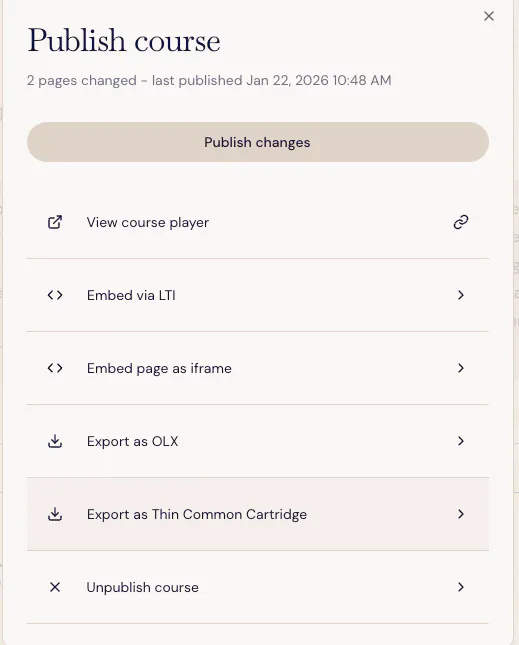
When you're ready to publish, make sure you're on a course content page, and push "Publish" and you'll notice the "Export as Thin Comon Cartridge" option in Lazuli
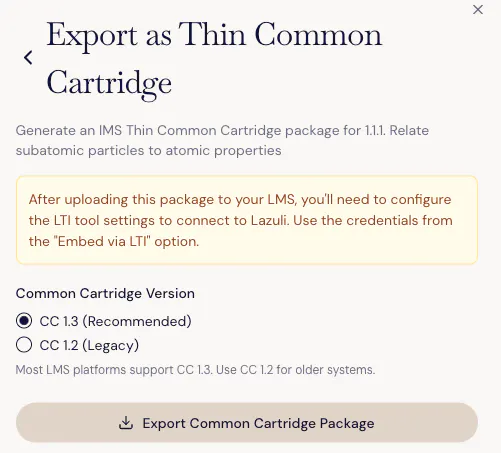
Select which version of Common Cartridge standard you need for your LMS (1.3 is recommended, but 1.2 is better for older LMSs that don't support 1.3).
Step 2: Import your course to Open edX
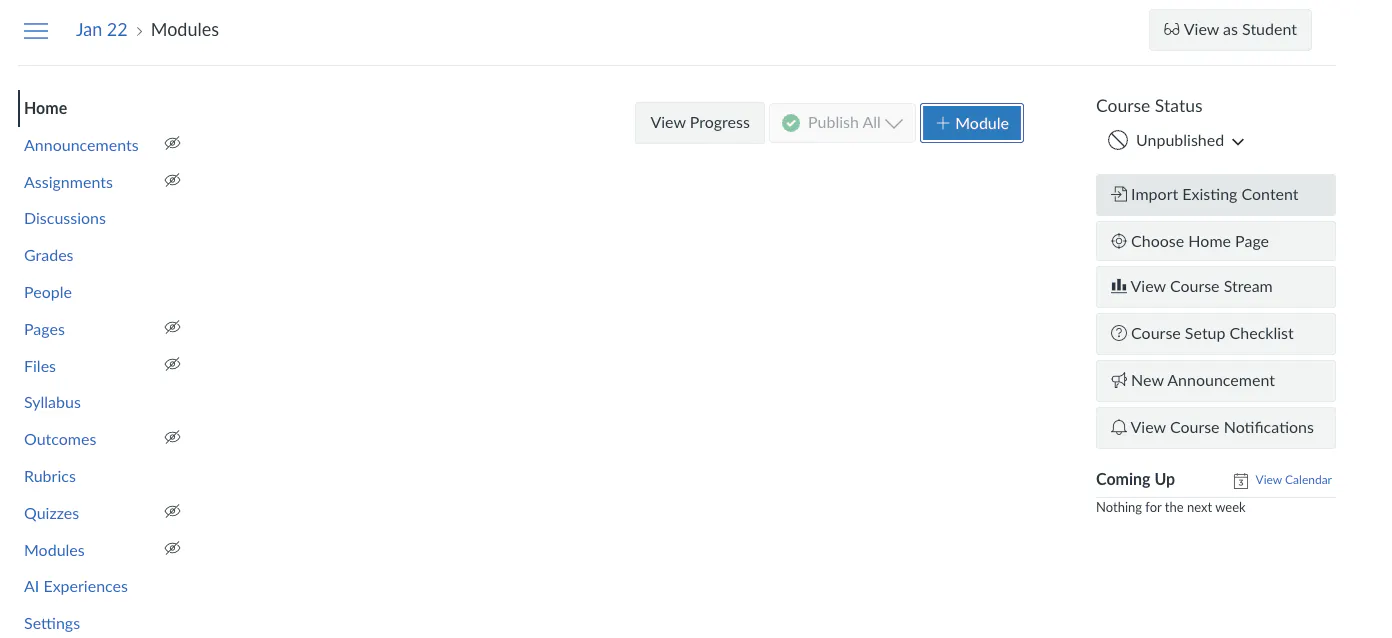
Create a course in Canvas. Then go to the course Home. On the right you'll see "Import Existing Content."
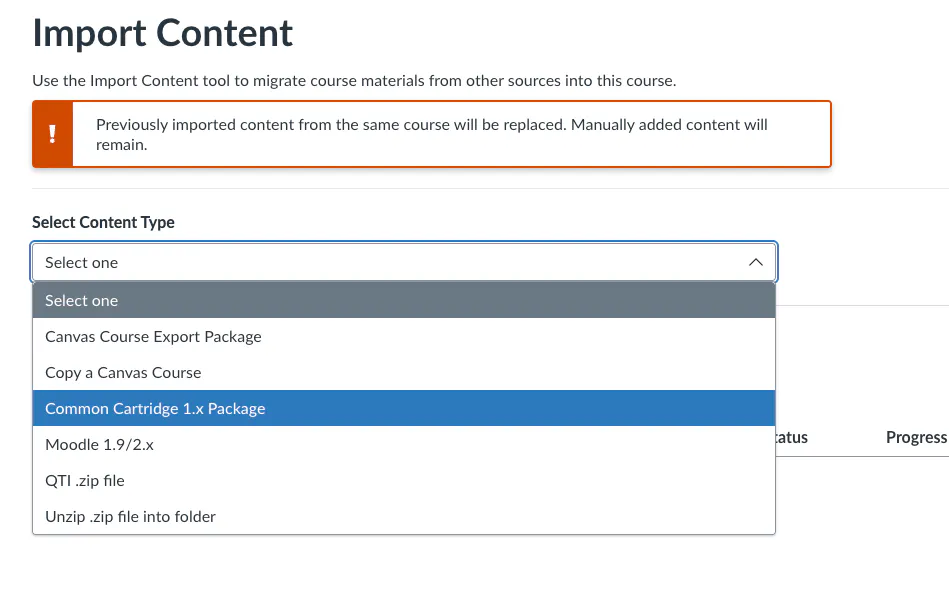
Select the Content Type of "Common Cartridge 1.x Package"
Add your .imscc file to the upload section
No need to change any of the defaults, simply select "+ Add to Import Queue"
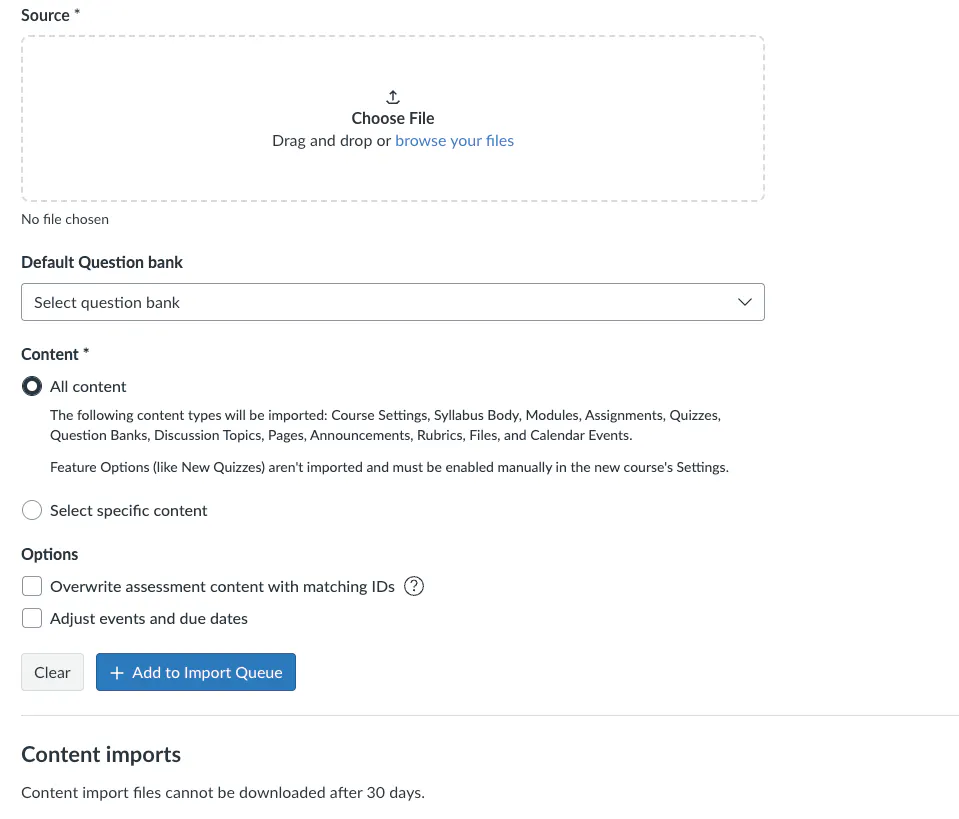
Your course will be processed and you should see "Completed" in gree in Status.
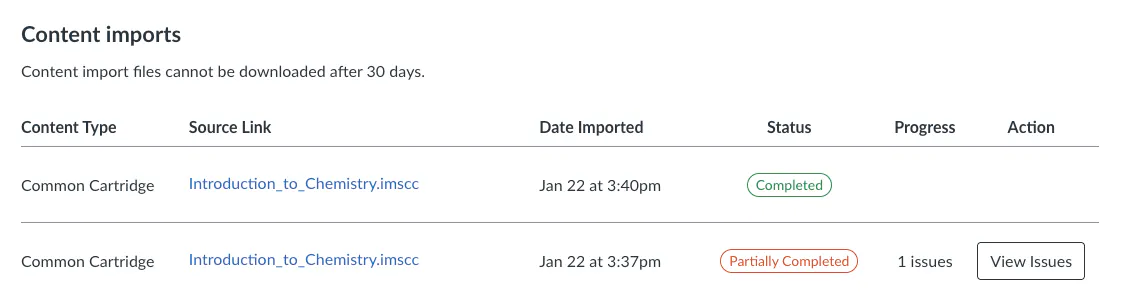
If you receive "Partially Completed" in red, and the issue: "The security parameters for the external tool "{tool}" may need to be set in Course Settings." it means you did not set up your LTI 1.3 configuration correctly. Double check you completed all the steps in setting up your LTI Configuration.
You're now ready to view your course in the Modules section. You should find all the course is structured as your Lazuli course is (with chapters, sections, units, etc.) and each page includes an LTI component preconfigured. You will need to publish all the materials before a student can view it.
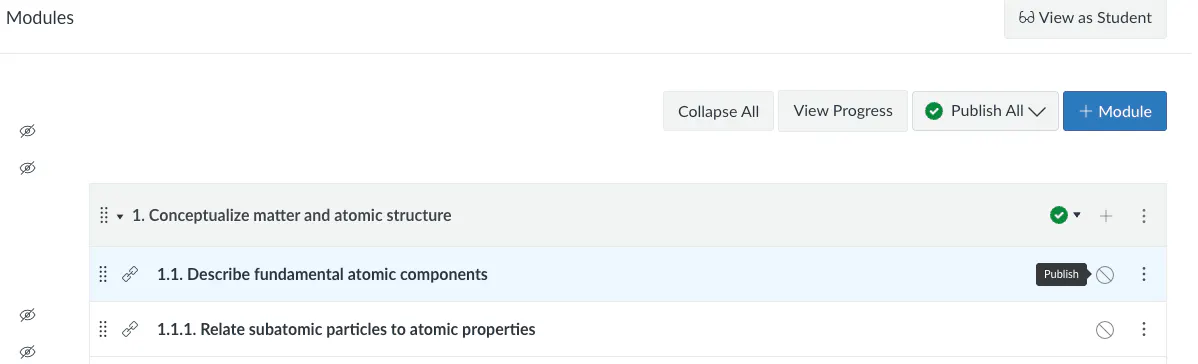
If you make text changes to any page in Lazuli, you can simply publish the page in Lazuli and the changes will be reflected automatically in Canvas. If you're making draft changes and haven't published those pages yet, students will not see those changes until you publish them.
If you make structural changes to the course (adding, removing or changing the order of pages or sections), you may want to consider re-exporting a new Thin Common Cartridge file and reimporting it.
WARNING: this will overwrite any changes you have made to your course. Canvas should only update the files that are imported, but please back up your course before attempting this.